Tampilkan postingan dengan label in. Tampilkan semua postingan

Sabtu, 17 Desember 2016

Divshare limit ! C90 resetter trial in new place

0

Dear All Resetter,

We have problem with our download area in Divshare.
Since divshare is now limit the bandwith for free members :( ouch
and of course we are over limit already :)

so guys, we are now trying new places...that are still free
and also as I promised there is NO PASSWORD for this files

now i already upload only c90 resetters ( both version )
in mediafire .... if u have any opinion where the ideal place for our resetter
plz let me know :) just post in the comment or email me directly
at indoreset@yahoo.co.id
( the places must be unlimited bandwidth and unlimited file lifetime )

so here is the "trial" places for c90 resetters, enjoy
- indonesian version :
[JOIN OUR MAILING LIST TO GET DOWNLOAD INFO]

- singapore version :
[JOIN OUR MAILING LIST TO GET DOWNLOAD INFO]


plz do try the download area and tell me what you think ...

Happy Reset

Printer Lovers
Read more

Senin, 26 September 2016

New Moderator in TOWN !

0

Please Welcome Our new Moderator

Felix ...... and also a already fixed our YAHOO Presence in this blog ... so plz feel free to ask

and for you that still asking about our mailing list is = indoreset@yahoogroups.com

to join is very simple, send blank mail to = 
                                     indoreset-subscribe@yahoogroups.com
to unsubscribe is simple too, send blank mail to = 
                                   indoreset-unsubscribe@yahoogroups.com

happy reset

ndry

Read more

Kamis, 04 Agustus 2016

Canon Resetter Warehouse Gudang Canon Resetter

0

Just Another Resetter Collection

i350, IP1000, IP1100 IP1880 IP2500, IP1300 IP1700, IP1500, IP1200 IP1600 IP2200, MP Tool v.094, MP Tool v.092, IP Tool v.114, IP Tool v.115, Canon IP2270

join our free INDORESET FORUM !

enjoy!

felz

Read more

Senin, 25 Juli 2016

Holy Week Greetings!

0

Have a peaceful Holy Week to everyone...

From: the Moderators

Read more

Selasa, 24 Mei 2016

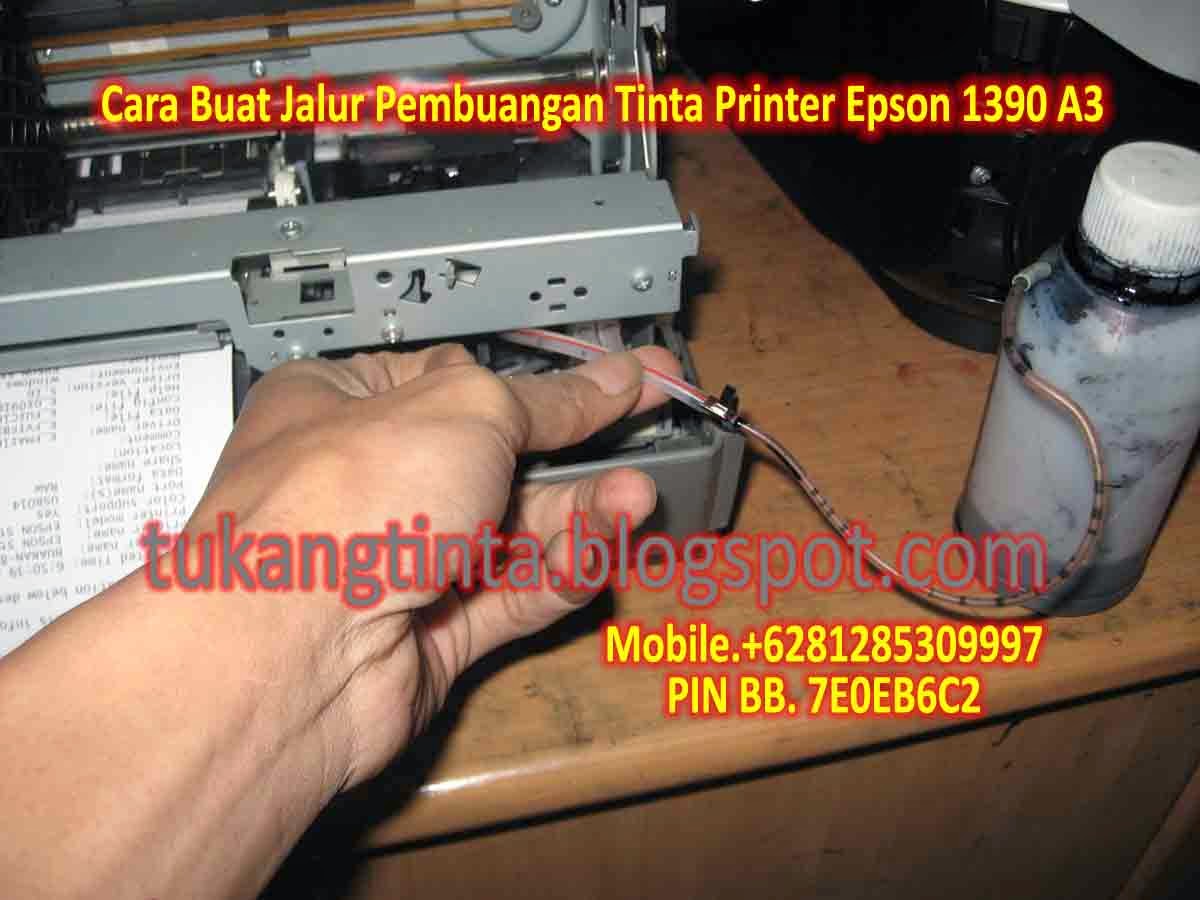
Cara Buat Jalur Pembuangan Tinta Printer Epson 1390 A3

0

http://tukangtinta.blogspot.com/
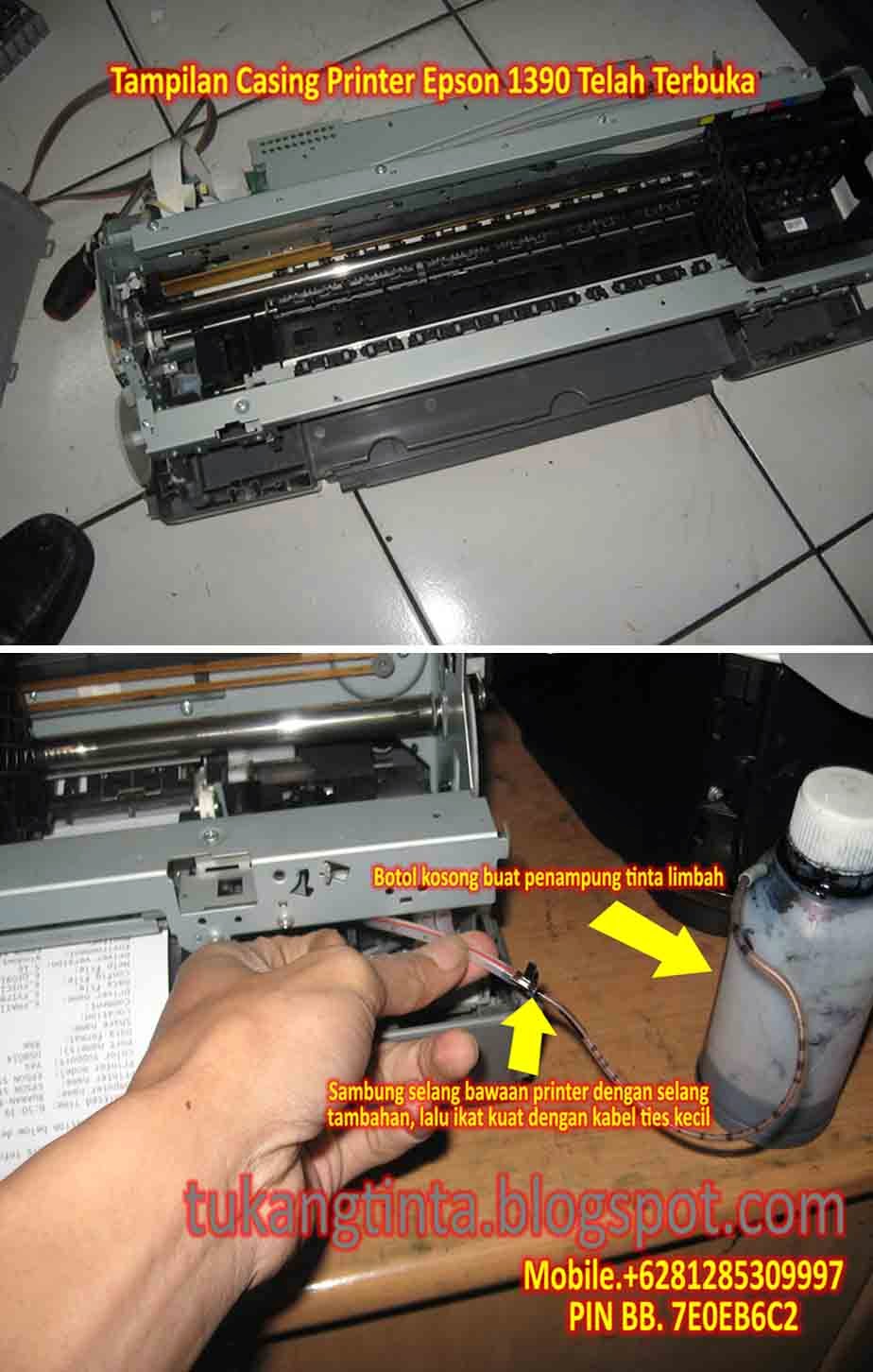
Hello Sobat, Kali ini Bang Mone dari TukangTinta.Com ingin membagikan pengalaman tentang " Cara Buat Jalur Pembuangan Tinta Printer Epson 1390 A3 ", perlu diketahui sobat dimana didalam mesin printer kita ada namanya bak atau busa penampungan tinta limbah dan penampungan tinta limbah akan penuh pada waktunya tergantung aktivitas pemakaian sobat. saat ini Bang Mone ingin berbagi bagaimana cara buat jalur pembuangan tinta limbah pada printer Epson 1390 A3, Langsung saja sobat lihat langkahnya dibawah ini :

Langkah Awal, siapkan peralatan yang dibutuhkan seperti :
  1. Obeng Plus.
  2. Obeng Min.
  3. Gunting.
  4. Selang Tambahan.
  5. Lakban Hitam.
  6. Botol Kosong.
  7. Kabel Tis Kecil.
  8. Bos Infus Uk.3.0 Inch atau Solder Listrik.
http://tukangtinta.blogspot.com/

Pertama buka casing printer sobat dahulu dengan benar, setelah casing printer terbuka, lalu kita cari selang pembuangan limbah bawaan printer kemudian sobat sambung dengan selang tambahan lalu ikat dengan kabel tis kecil, setelah selesai sobat lubangi bagian samping atau dibelakang casing printernya dengan Bor Infus Uk.3.0 Inch atau dengan Solder Listrik, setelah langkah akhir selesai sobat rakit dan pasang kembali casing printer seperti semula lalu tinggal pasang jalur selang yang telah dibuat dimasukkan dibotol kosong.


Selesai.


Sekian artikel Bang Mone dari TukangTinta.Com mengenai " Cara Buat Jalur Pembuangan Tinta Printer Epson 1390 A3 ", Semoga dapat bermanfaat, berguna dan menginspirasi sobat semua.

> Download Driver Printer Epson 1390 A3 klik disini

Salam,
Bang Mone dari TukangTinta.Com
www.tukangtinta.com
Mobile.+6281285309997
PIN BB 7E0EB6C2

Read more

Jumat, 11 Maret 2016

New Canon Resetter 2010

0

This is the latest resetter for canon MP198, MP258, MP276, MP496, MP558, MP568, and MP648.

The following are the steps that must be done:


  1. Turn on the printer to service mode. how to enter service mode is :
  • While the printer is OFF, press and hold the Start/Stop button (Resume/Cancel in some other models).
  • While holding the Start/Stop button, press and hold the POWER button.
  • When the POWER LED (green light) lit, release the Start/Stop button (still holding the POWER button).
  • Press the Start/Stop button TWICE (still holding the POWER button)
  • Release the POWER button.
  • Wait for the LCD to display 0 (zero).
  1. After the display is 0, attach the printer usb cable to pc, then there will be detected new device (its normal)
  2. Run service_tool 1050.exe
  3. Confirm detected usb-port numbers on usb port column.
  4. Click the MAIN ink counter reset button, make sure there is paper in the paper feed, because the printer will print after the process is complete.
  5. Click platern ink counter reset button, the printer will print again.
  6. Turn off the printer.
  7. Your printer is ready for use again.


HERE IS THE DOWNLOAD LINK

JOIN FREE INDORESET FORUM


Enjoy!

felz

Read more

Kamis, 13 Maret 2014

Cartridge in Canon Mp210

0


This a the way to reset your print

* Turn off the printer
* Hold the Resume Button (red circle in the triangle), add a printer (click “Power”) an indicator light green.
* Hold the Power Button, release the Resume Button.
* Not releasing the Power Button, double click “Resume” and release Both Buttons.
* Click “Resume” for Four times
* Once you click “Power”, to confirm the selected action (reset counter absorber). To disable the printer “Power” button to click again.

Read more

Kamis, 23 Januari 2014

Factory Built In CISS Epson L100 and L200 All In One Printer

0

Out of the many countries, the unlikely Indonesia claimed to have the first ever factory built-in Continuous Supply Ink System (CISS) printer. This is integrated on EPSON printer L100 and L200 models. I have search the info about this on the World Wide Web and this is what I found at Epson Indonesia website. It is very unfortunate that EPSON is not making any kind of these printers in the USA, UK, or Malaysia yet. If it is does, I am sure that everyone is will not hesitate to replace their printers as the CISS save so much money.

EPSON L100 (CISS) Built-in Technical Specification:

The EPSON L100 model is with standard function just for black-white and color printing using basic colors such as black, cyan, yellow, and magenta (CYMK). The built-in CISS installed on the printer is capable to produce a staggering 12,000 pages (black) and 6,500 for colors A4 printed papers which is far more productive then printers without CISS installed on it.


EPSON L200 All-In-One (CISS) Built-In Technical Specification:
The EPSON L200 model comes with All-In-One function with standard colors black, cyan, yellow, and magenta as well. Having the CISS installed, it would be so much cost effective to use it for small business and home use.


Ink Colors:

Now you don’t have to worry about the ink compatibility with the printers as it is manufactured by EPSON itself. EPSON also guarantee the quality for color and Photo printing, and most importantly EPSON provide warranty to ensure satisfaction for its end-users. And this make me more excited to get the EPSON L200 model, because all I know that EPSON has produced the best quality printers these days.

Read more

 
Powered by Blogger